
Appearance
Steam accounts
Add the Steam accounts Luna will use, then verify that they can sign in.
Set up account storage
- Open Account Manager from the launcher.
- At Save File Setup, choose Yes to protect the saved account passwords with a master password, or No to leave them unencrypted.
- If you choose Yes, enter a master password you can keep securely.
- Select Continue.
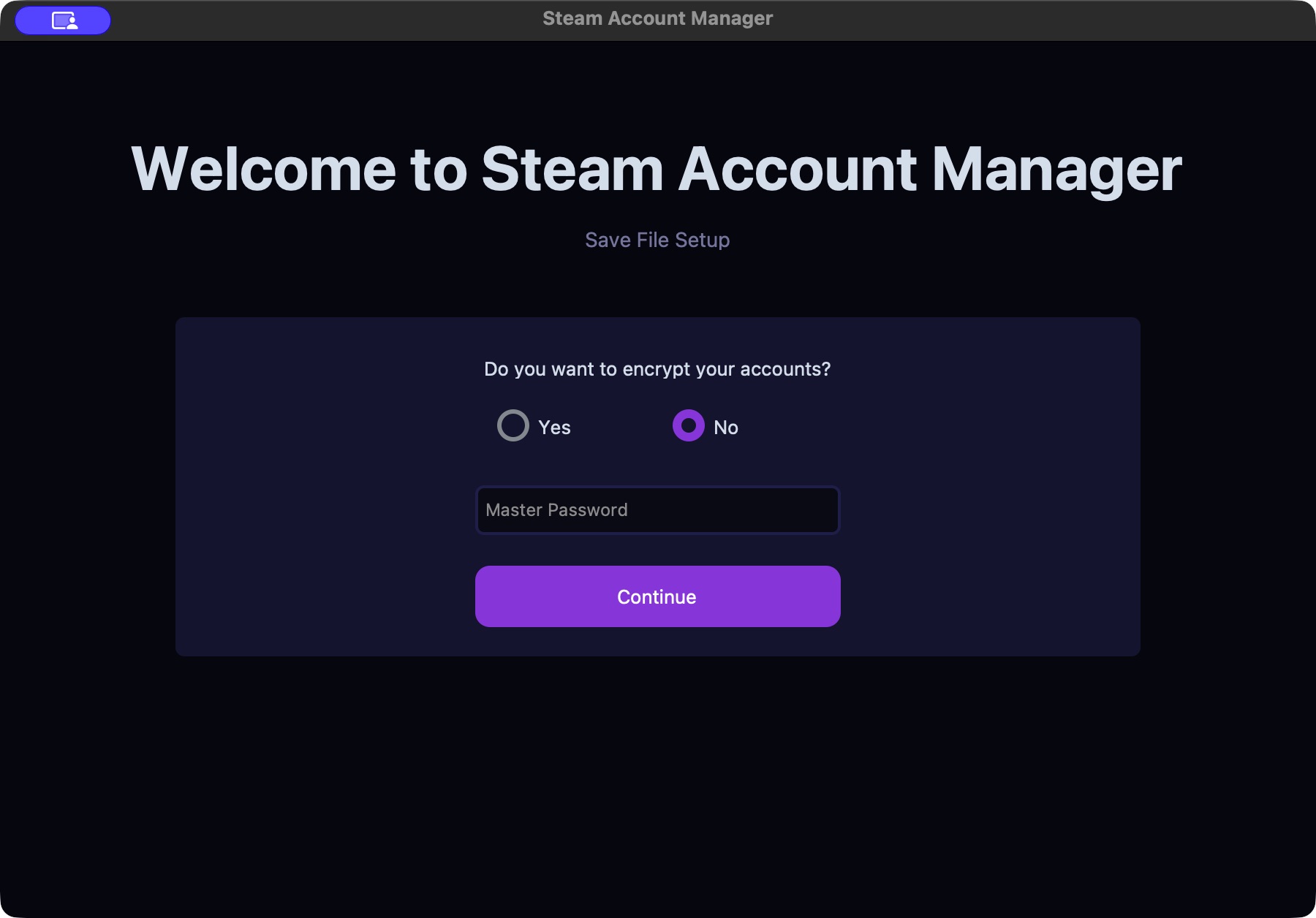
The master password unlocks saved accounts and may be requested when starting a session.
If you forget the master password, you will need to recreate your saved account entries.
Add an account
- Enter the Steam Username used to sign in, rather than a profile display name.
- Enter the account's Password.
- Select Add.
- Confirm that the account appears in the list.
Account changes are saved as you make them. The Save configuration button in the configuration editor is for settings, not for this account list.
Check the connection
Select an account using its checkbox, then select Test. Complete the requested Steam Guard or email-code prompt and wait for the result.
If the login fails, first confirm that the same credentials work in Steam. A successful sign-in check does not guarantee Market access, enough wallet funds, or successful purchases.
During a running session, authentication prompts may appear in the console or the web dashboard. Keep General → Fully headless off while setting up accounts so these prompts can be answered.
Manage the list
- Search accounts… filters the visible list by username.
- Select All selects the accounts shown by the manager; review the selection before acting.
- Test checks selected accounts. Cooldown (sec) controls the wait between checks.
- Delete Selected removes the selected entries from Luna. It does not delete the Steam accounts.
- The eye button reveals a saved password.
Stop the sniper before changing the account list.
Choose which account is used
In Config Editor → General → Account rotation, choose or enter the rule you need, then save and restart the session:
no— use the first saved account.buy_3— switch after three purchases.wallet_5— switch when the wallet balance falls below 5 in the configured currency.min_30— switch every 30 minutes.i_0— use one specific account. Index 0 is the first account, 1 the second, and so on.
Replace the number with the threshold you want. Use positive whole numbers for purchase and time thresholds. With just one account, keep no.
Use accounts with the same Steam Wallet currency when rotating within one configuration. Review the currency and billing settings before enabling purchases.